PlumeDeckSTUDIO
YOUR VISION. EVERY FRAME.WINDOWS · DEVELOPER BETA V53

Make every
frame yours.

Advanced editing. Cinematic color.
A new creative space for the stories
only you can tell.

Explore the Windows beta ↗
Video editing, creative effects & connected 3D titles.
01 / ADVANCED VIDEO EDITING

Every cut.
More possibility.

Shape your story with multitrack editing,
keyframe animation and creative effects.

Explore your toolkit ↗YOUR FOOTAGE. YOUR RHYTHM. YOUR SIGNATURE.
01 / 04
01 / YOUR CREATIVE TOOLKIT

From the first cut
to the final detail.

Bring your footage, images and ideas together.
Shape the story, then give it a look of its own.

4K Project workflowsProxy EditingKeyframes AnimationRoto & object TrackingTitle 3D Connected tool
01

Find your rhythm.

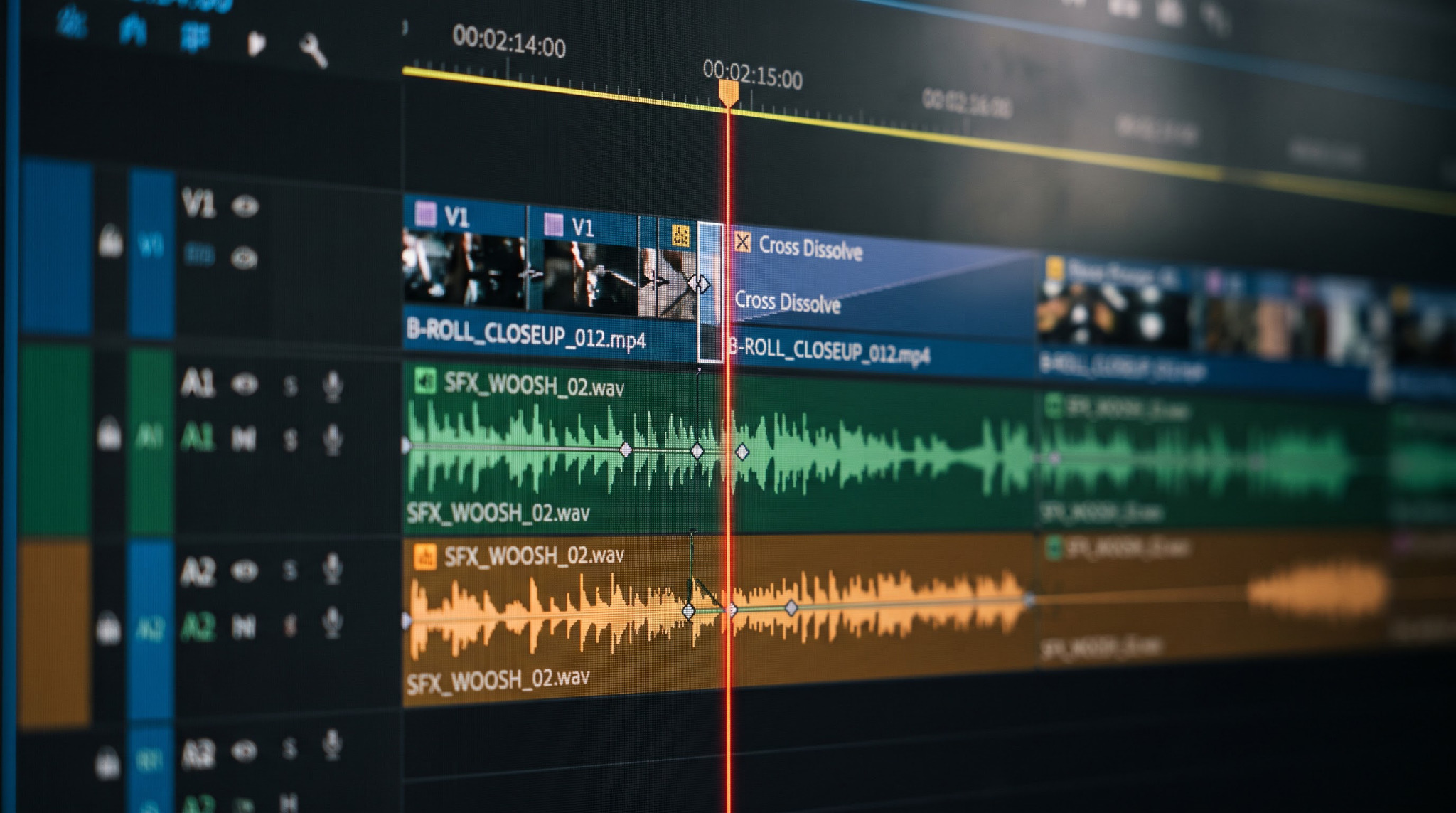
Cut, trim and arrange across video and audio tracks. Work with proxies, keyboard shortcuts and a timeline that moves with you.

MULTITRACK EDITING
02

A look that feels like you.

Grade with LUTs. Build a soft glow, a passing light sweep or a little fairy dust. Keep every detail adjustable.

COLOR & LIGHTING EFFECTS
03

Stay with the moment.

Draw Bezier masks and track objects. Attach text or imagery, with controls to refine the result by hand.

MASKS & OBJECT TRACKING
Two desert travelers sitting on dunes in warm cinematic light
Teal and Copper cinematic look
THE CINEMATIC LUT COLLECTION

One frame.
Four new feelings.

Discover four curated looks from PlumeDeck’s cinematic collection. Choose a look, then drag the divider to see the difference on the same frame.

4 real PlumeDeck looksDrag to compareOriginal preserved
Preview uses the editor’s display-referred Rec.709 looks. These are creative grades, not camera-log conversions.

02 / LIGHT CHANGES EVERYTHING

A little light.
A whole new feeling.

Shape the atmosphere.
Give your next frame a little magic.

A spacecraft emerging through a luminous portal above a cinematic landscape
CREATE YOUR ATMOSPHERE

Soft bloom. Beautiful highlights.

LIGHT, ON YOUR TERMS

Adjust values. Set keyframes. Make it yours.

03 / MEET PLUMEDECK TITLE 3D

PlumeDeck Title 3DGive your words
another dimension.

A connected title tool, right alongside your edit. Shape extruded text with materials, lighting, shadows and animation. Bake the result back into your timeline.

Materials & texturesKeyframe animationCamera & lightingBasic geometry
Title 3D is in development. The lettering shown here is an illustrative website graphic; use the render preview to see the tool’s actual output.
A GROWING CREATIVE WORKSPACE

Built for now.
Inspired by what’s next.

IN THE CURRENT DEVELOPER BETA

Advanced Editing

Multitrack editing, cinematic LUTs, effects, masking and object tracking. Connected Title 3D is an early tool alongside the editor.

PLANNED FOR FUTURE UPDATES

Compositing + Full 3D

A wider canvas for creative work. These workspaces are future plans and are not included as released workspaces in the current beta.

04 / BUILT FOR YOUR NEXT CHAPTER

More creating.
Less overthinking.

Explore the beta first.
Help shape what comes next.

One focused Windows editing release.
Compositing and a full 3D workspace are future plans.
PLUMEDECK STUDIOPLANNED PRICING
MONTHLY
₹500/ month
YEARLY SAVE ₹300
₹5,700/ year
₹475/month equivalent · billed yearly

For your ideas, from rough cut to final render.

  • Video & audio editing
  • Color, effects & keyframe animation
  • Masking & object tracking
  • Connected Title 3D workflow

Subscriptions and checkout are not open yet. Final plan inclusions and applicable taxes will be confirmed before paid launch.

05 / AN EARLY LOOK

Your next idea
starts here.

Try the Windows developer beta and tell us
what helps your workflow—and what gets in the way.

Download developer beta ↓
V53 · ZIP · 17.7 MB · Windows

This is an early developer build, not a Windows installer.
Python 3.11 or newer is required. The planned 30-day trial is not offered by this website preview.

GETTING STARTED
  1. 01

    Download & extract

    Extract the complete ZIP into a folder on your PC.

  2. 02

    Launch PlumeDeck

    With Python 3.11+ installed, run START_PLUMEDECK.bat. Follow the setup prompts.

  3. 03

    Make something yours

    Import media, build an edit and explore the effects. Use a copy of your project while testing.

LEARN PLUMEDECK STUDIO

Your next skill.
Your next great edit.

Step-by-step video tutorials on YouTube.

Tutorials are on the way.

Editing, cinematic LUTs, tracking and Title 3D.
Published YouTube lessons will appear here.

06 / KEEP CREATING

A few things
worth knowing.

Is PlumeDeck available for Windows?+

The current developer beta targets Windows. It is distributed as a ZIP and needs Python 3.11 or newer. A packaged installer is still planned. There is no macOS or Android release offered here.

Can I edit 4K footage?+

PlumeDeck includes 4K project workflows and proxy editing. Performance depends on your source codec, effects, preview resolution and hardware. The new lighting effects use CPU processing; real-time 4K playback is not guaranteed.

Where are the effects and animation controls?+

Select a clip, choose an effect from Effects → Video and apply it to the selected clip. Adjust its settings in Effect Controls. Use the diamond buttons to enable keyframes for supported properties.

How does Title 3D connect to my edit?+

Title 3D is a connected tool for text, materials, lighting and animation. Bake the result back into the editing timeline. It is separate from the future full compositing and 3D workspaces.

Can I subscribe or activate a 30-day trial now?+

No. This is a website and developer-beta preview. The planned subscription is ₹500/month or ₹5,700/year. Paid checkout, customer accounts and the public trial flow will be introduced after the release setup is finalized.

Will there be tutorials?+

A dedicated tutorial library is planned. For now, start with the setup steps above, the bundled update notes and the actual lighting and Title 3D demos on this page.

A NEW SPACE FOR YOUR STORIES.

Good ideas deserve
a great next frame.

Start exploring PlumeDeck ↗
PLUMEDECK STUDIO